

Delivery tomorrow - AED 390
AluDoors FLAT: A Symphony of Light and Design
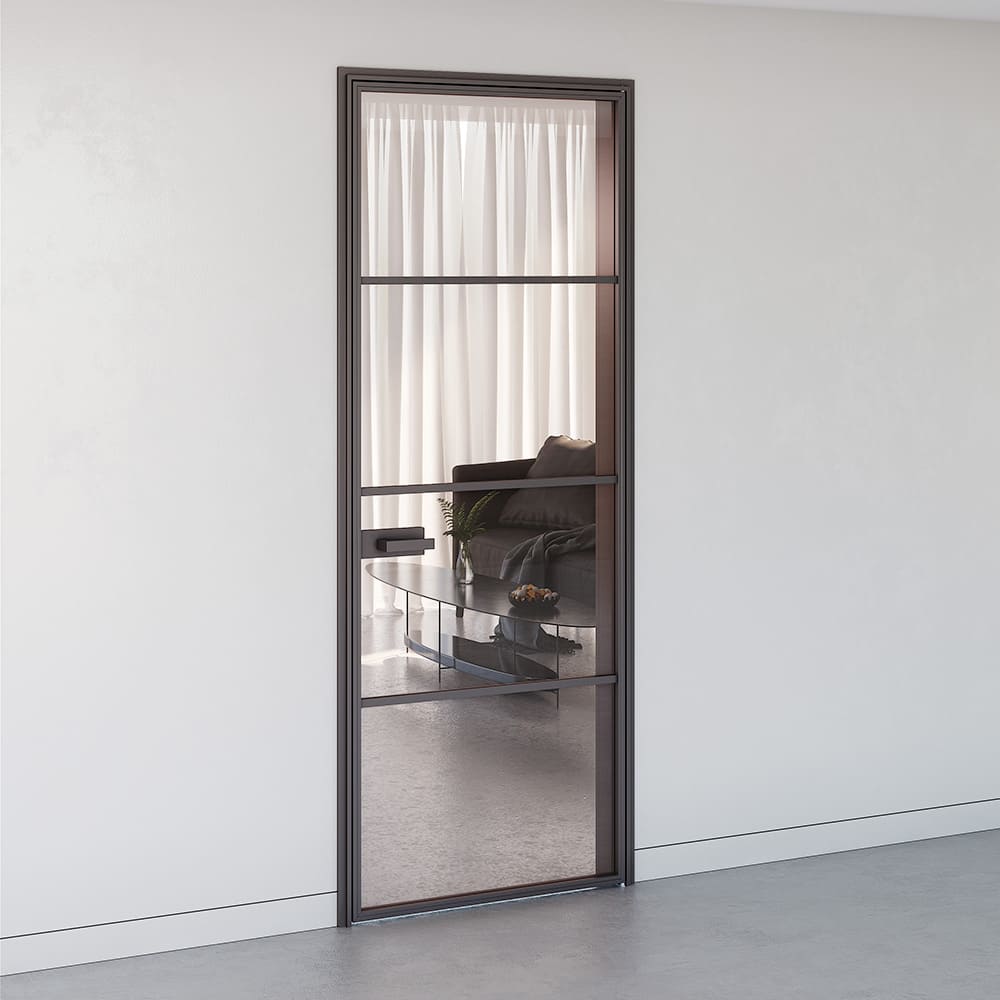
Hinged doors with aluminium architraves, AluDoors FLAT is more than simply a door: it is a canvas for your design imagination. Their ergonomics, faultless quality and elegant style make them the embodiment of a dream interior.
With AluDoors FLAT you become the author of a space filled with light. A transparent door divides the room like weightless threads, without curbing its sense of lightness. Natural light flows freely into every corner, bringing a feeling of harmony and boundless space.
AluDoors FLAT is not merely a door with aluminium architraves, but a functional element of the interior. A restrained design considered down to the smallest detail, together with faultless materials and workmanship, creates a distinctive look that will become a true adornment of your home.
Horizontal glazing bars, delicately dividing the door leaf into equal sections, not only give the room a single unifying concept but also underline the refinement and subtlety of the style. AluDoors FLAT is a harmony of light, design and functionality that will enhance the beauty of your interior and give a sense of boundless possibility.
To buy a product in our online store, choose the item you like and add it to your cart. Then go to the Cart and click “Place order” or “Quick order”.
When you place a quick order, enter your full name, phone number and e-mail. A manager will call you back to confirm the details of your order. After the call you will receive an order confirmation by e-mail or SMS. All that is left is to wait for delivery and enjoy your new purchase.
A standard order is placed as follows. Complete the form step by step: address, delivery method, payment method and your details. We recommend adding any information that will help the courier find you in the order comments. Then click the “Place order” button.
Pay for your purchases in the way that suits you best. Three payment options are available in the online store:
- Cash on pick-up or courier delivery. Our specialist will contact you on the delivery day to confirm the time and to prepare change for any note in advance. You sign the shipping documents, pay, and receive your goods together with a receipt.
- Card payment on pick-up or when ordering online: Visa and MasterCard. To pay for your purchase you will be redirected to the ASSIST payment server, where you enter your card number, expiry date and cardholder name.
- Electronic payment systems for online orders: PayPal, WebMoney and Yandex.Money. To complete the purchase you will be redirected to the payment service page, where you fill in the form as instructed.
Save time when collecting your order. Four delivery options are available in the online store:
- Courier delivery operates from 9:00 to 19:00. Once the goods arrive at the warehouse, the courier service will contact you to agree the details. The specialist will offer you a convenient delivery time and confirm the address. On arrival, please check that the packaging is intact and that the contents match the stated configuration.
- Pick-up from the store. A list of locations to choose from will appear in your cart. You will receive a notification once your order arrives at the store. To collect it, approach a member of staff at the checkout area and give your order number.
- Parcel locker. Once your order arrives at the pick-up point, a unique code will be sent to your phone or e-mail. The order is paid for at the locker terminal. Orders are held for 3 days.
- Postal delivery. When your order reaches the post office, a parcel notification will be sent to your address. Before paying you may check the condition of the box: its weight and whether it is intact. You may open the box yourself only after the order has been paid for. A single order may contain no more than 10 items and its value must not exceed 100,000.
An extra tab for information about the store, delivery or any other important content. It helps you answer customers' questions and remove any doubts they may have about a purchase. Use it as you see fit.
You can hide it or bring it back by changing a single checkbox in the component settings. Very convenient.